

Delete an Atlas
Remove Atlases that are no longer in use to keep your workspace tidy. You can delete from the home feed or within the Atlas details page.
Option 1: From the Home Feed
- Sign in to the Voice Atlas web app.
- Locate the Atlas in the My Atlas feed and open the More Options menu (three vertical dots) in the upper-right corner of the Atlas card.
- Select Remove Atlas (trash can icon).
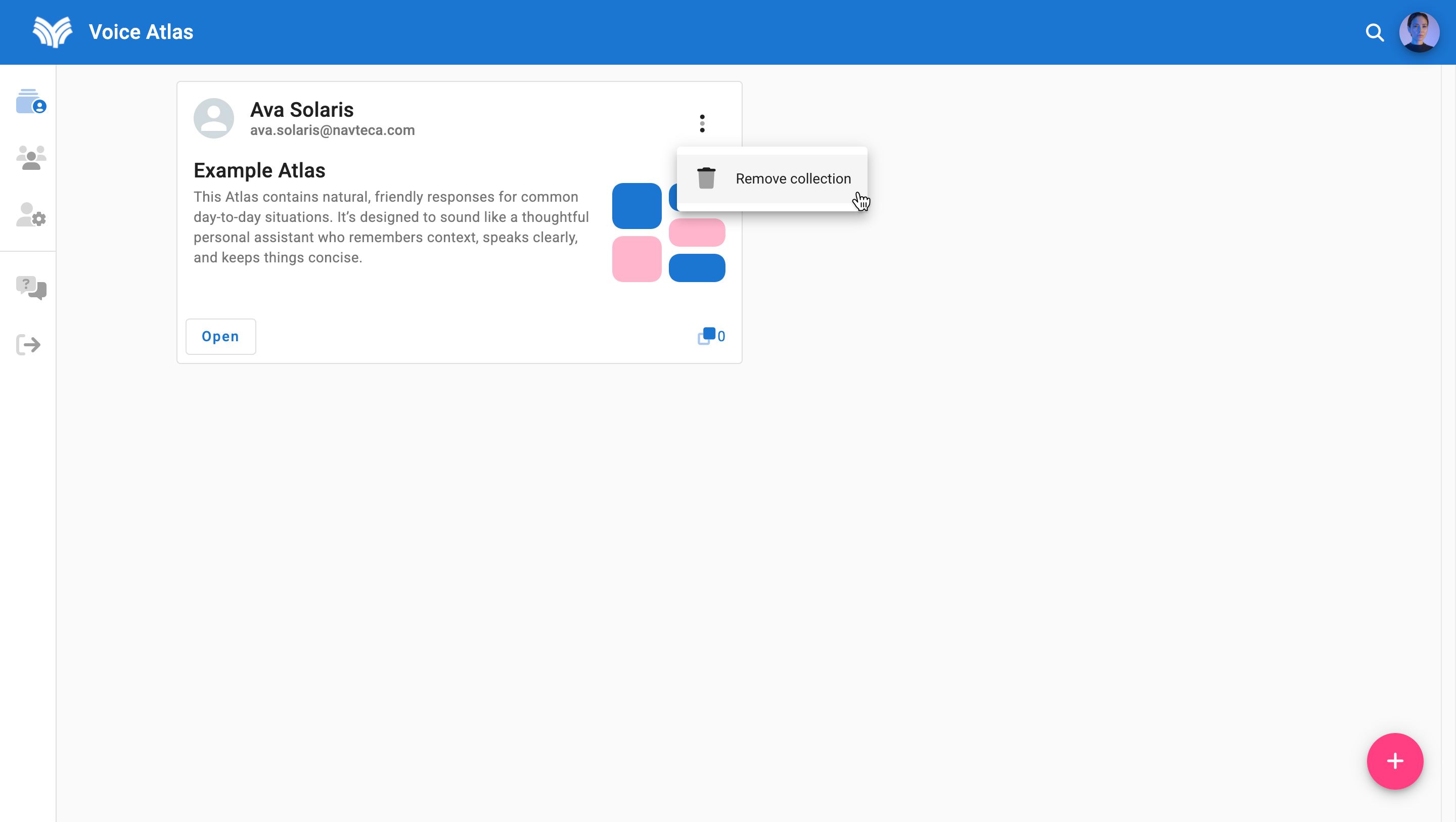
- Confirm by selecting Yes when prompted.
Option 2: From the Atlas Detail Page
- Sign in and open the Atlas you want to remove.
- Select the More Options menu (three vertical dots) on the upper-right corner of the Atlas card.
- Choose Remove Atlas and confirm the deletion.
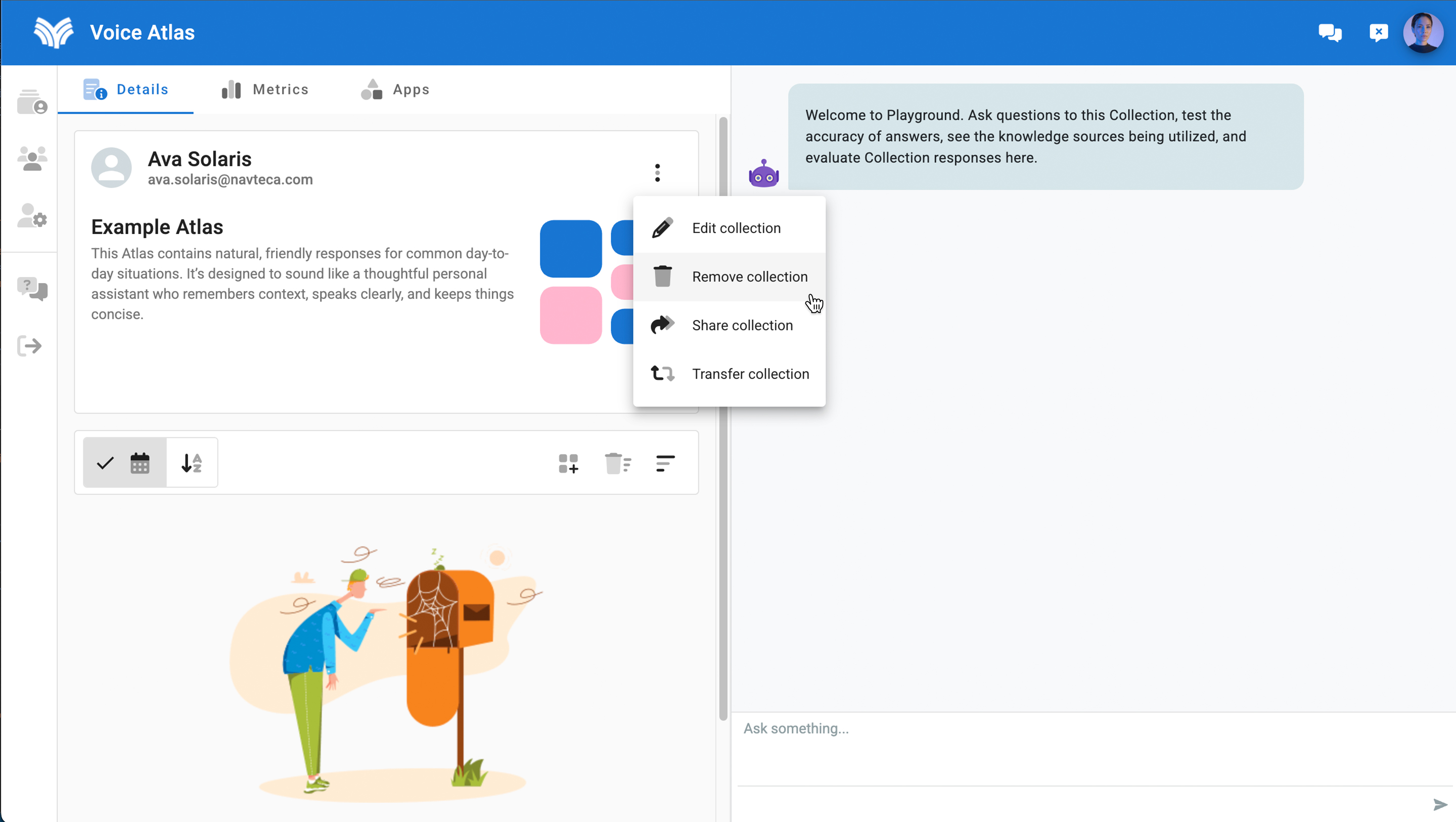
After you delete an Atlas it is immediately removed from the platform. Consider downloading analytics before removal if you might need them later.
⚠️ Deletions can’t be restored
Deleting an Atlas also removes any associated chat history and app configurations. Confirm you have exported analytics and rotated API keys before you proceed.